
How Starburst works on wartel21
Starburst is a 5-reel, 10-payline slot. You select your stake per spin—from small amounts to larger bets—then tap the Spin button. The reels spin for 2–3 seconds, then stop. If your result matches a payline, you win according to the paytable. Your balance updates instantly. The next spin is independent; previous results do not affect future rounds.
The signature feature of Starburst is the Starburst Wild symbol. When wilds land on reels 2, 3, or 4, they expand to fill the entire reel and remain locked during a re-spin. If additional wilds land on adjacent reels during that re-spin, they also lock in place, and you get another re-spin. This re-spin feature can chain multiple times, creating larger wins. Once no new wilds appear, the round ends and your total win is calculated.
On wartel21, every Starburst spin uses a certified random-number generator. Results are not influenced by your account history, payment method, or time of day. Each spin is independently fair. We do not publish exact odds or payout percentages on individual spins, but the game follows standard industry practices and is audited by independent compliance teams.

Data usage for Starburst is minimal—typically 2–5 MB per hour of continuous play. Our graphics are optimized for mobile, so the game runs smoothly even on 4G connections with modest bandwidth. If you experience stuttering, try lowering the graphics quality in your account settings; gameplay remains identical, but animations render faster on slower networks.
Starburst symbols and paylines
Starburst features several symbol types. High-value symbols include the Starburst Wild (expands on reels 2, 3, and 4) and premium gems in various colors. Low-value symbols are traditional bar and number icons. Each symbol has a specific payout; the paytable is accessible in-game by tapping the "Rules" or "Paytable" button.
Paylines are fixed at 10. Matching symbols must land on a single payline from left to right to win. The number of matching symbols determines your payout multiplier—three matches pay one amount, four pay more, five pay the highest. The Starburst Wild can substitute for any standard symbol (except bonus symbols, if present), so it increases your chances of completing a winning line.
Mobile installation and access
Getting Starburst running on your phone is quick. Android users visit wartel21.app, download the APK, and install it. iOS users visit wartel21.app in Safari, bookmark it to their home screen, and access the platform as a web app. Both paths deliver the same experience.
Log in with your email and password. Our system sends a one-time verification code via SMS or email—this two-factor authentication adds security. Enter the code, and you're logged in. Your dashboard shows your balance, recent activity, and all available games. Tap "Slots," search for or scroll to Starburst, and tap to load the game. First spin can begin immediately after.
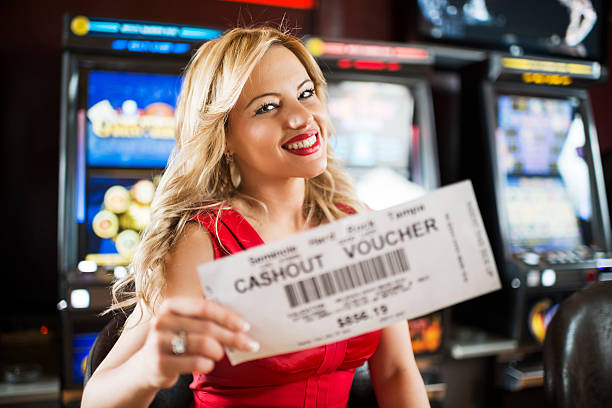
Stake selection and returns
Before each Starburst spin on wartel21, you choose your stake. Our interface allows flexible bet amounts; you can spin for small increments or larger stakes depending on your balance and preference. Your stake is deducted from your account immediately when you tap Spin. If the result is a win, your total win is added to your balance after the round resolves.
Your potential return is calculated by multiplying your stake by the win multiplier from the paytable. If you stake our welcome offer and land a winning combination with a 10x multiplier, your win is our welcome offer. Your balance then increases by that amount. This calculation is transparent; we display your stake, your win amount, and your updated balance clearly after each spin.
- Spin speed
- Each Starburst spin takes 2–3 seconds. Re-spins triggered by locked wilds add 2–3 seconds each.
- Auto-play feature
- You can set up to 100 automatic spins at your selected stake; results accumulate in your balance in real time.
- Minimum and maximum bets
- Stake limits vary by region and account status; displayed in-game before you confirm your bet.
Account funding and withdrawals
To spin Starburst on wartel21, you need balance in your account. Deposit via DANA, e-wallet, mobile banking, local payment, online payment, or e-wallet for instant e-wallet transfers. For traditional banking, use mobile banking, local payment, online payment, or e-wallet virtual accounts—you receive a unique account number, transfer funds from your bank app, and our system credits your balance once the bank settles it.
E-wallet deposits settle within minutes; virtual-account transfers may take a few minutes longer because they route through bank clearing. Once your balance appears in your account, you can immediately start spinning Starburst. Your balance is shared across all wartel21 games, so you can move funds between Starburst and live-casino tables or football markets without re-depositing.
Withdrawals are subject to our standard review window. Request a payout from your account, we verify the transaction for fraud or duplicate requests, and then process the transfer. Withdrawals arrive at your destination—e-wallet or bank account—according to that provider's settlement speed. We do not charge withdrawal fees; all costs are transparent before you confirm.
Account security and data handling
Your wartel21 account is protected by encryption and two-factor authentication. We require Know Your Customer verification before you can deposit or withdraw—you provide a valid ID and a selfie. Our compliance team reviews these documents within a standard window, typically within hours. This verification protects your account from fraud.
Every Starburst spin is recorded in your account history. You can view your complete spin history, including stake, result, win amount, and timestamp, anytime from your account menu. This transparency aids dispute resolution if any question arises about a specific spin. We store this data on secure servers, encrypted both at rest and in transit.
Your login credentials are never shared with game servers or other players. Your account balance and spin history are private; only you can access them. If you forget your password, use the "Forgot Password" link on the login screen. We send a reset link via email; click it, create a new password, and log back in. If you suspect unauthorized access, contact our support team immediately.
Playing Starburst across Indonesia
Players in Jakarta, Surabaya, Bandung, and Medan all access the same wartel21 Starburst game. Network infrastructure is optimized for Indonesian ISPs, so connection stability is consistent across major cities. If you experience lag, try our lite graphics mode or connect to a stronger WiFi network.
During regional holidays like Idul Fitri, Idul Adha, and Imlek, Starburst remains available 24/7—there are no holiday closures on wartel21. These periods often see increased player activity; our servers are scaled to handle peak loads so you maintain smooth gameplay even during peak hours.